How to Warm Up a New Sending Domain Without Burning Your Reputation
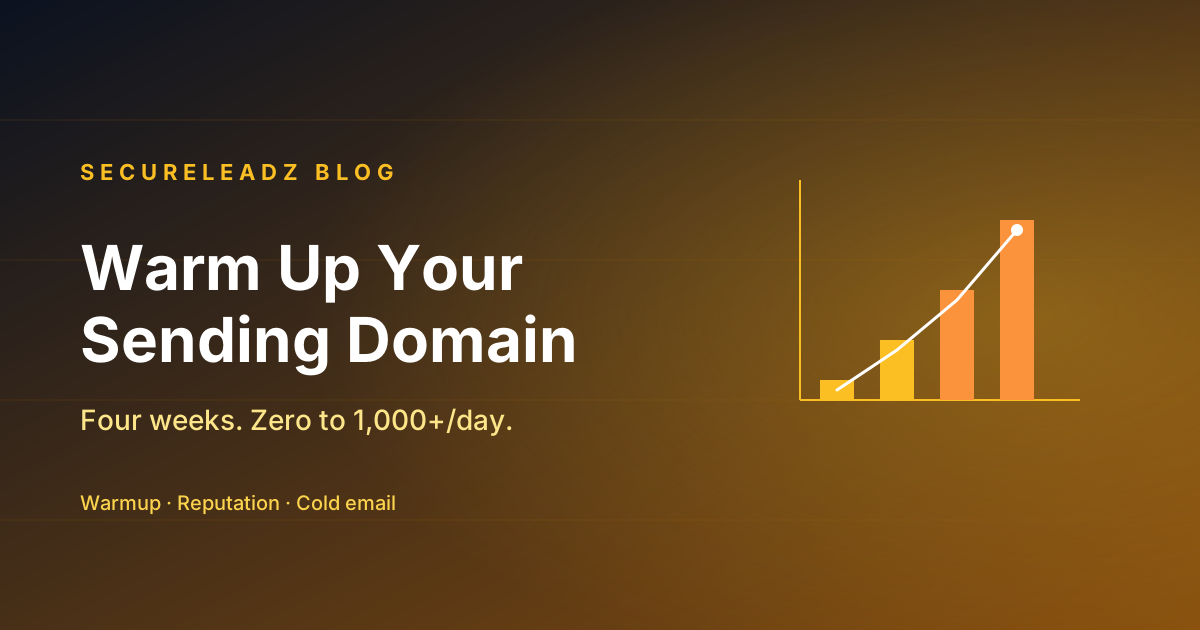
A four-week warmup schedule that takes a brand-new domain from zero to 1,000+ daily cold emails — without landing in spam, getting throttled, or torching your IP before you've made a single sale.
Buying a new domain on Monday and blasting 500 cold emails from it on Tuesday is the single fastest way to land on a blocklist. Gmail, Outlook, and Yahoo treat brand-new sending domains like a stranger walking into a bank with a duffel bag — friendly, but watched. If you don't establish a track record first, your first real campaign is dead on arrival.
This is the schedule that actually works.
Why warmup is mandatory in 2026
Modern mailbox providers grade sender reputation as a continuous score combining four things:
- Volume consistency. Did you send 10 yesterday, 12 today, and 11 tomorrow? Good. Did you send 5 yesterday and 500 today? Suspect.
- Engagement signals. Are your messages getting opened, replied to, or starred? Or are they ignored, deleted unread, and marked as spam?
- Authentication. SPF, DKIM, DMARC — all passing? (See our SPF/DKIM/DMARC post if any of those words are new.)
- Bounce rate. Are you sending to real people, or scraping last year's conference list?
A brand-new domain scores zero on the first three by definition. Warmup is the four-week project of climbing each of those scores before you start sending real outbound.
Set up before you send a single email
These steps take an hour and save you weeks.
- Buy the domain at least 30 days before you need to send. Spam filters treat domain age as a signal. A 2-day-old domain is suspicious; a 60-day-old one isn't.
- Don't use your primary domain for cold outbound. Use a close variant —
secureleadz.ioinstead ofsecureleadz.com, orget-secureleadz.com. If a campaign tanks, your primary domain stays clean. - Set up SPF, DKIM, and DMARC before the first message. DMARC starts at
p=nonefor the first two weeks while you read reports. - Set up a forwarder from the new domain back to your real inbox so replies actually reach you.
- Configure a sensible signature with a real name, role, company URL, and a physical address. This isn't vanity — Gmail's spam classifier scores signature legitimacy.
- Don't enable open tracking pixels for the first two weeks. Pixels from a cold domain to consumer inboxes are a heavy negative signal early on.
Week 1 — pure conversation
Send 5 to 10 emails per day, every weekday, to people who will reply. That's the entire goal of week one: get genuine, threaded replies into your sending IP's history.
Where do those replies come from? Friends, coworkers, your existing customer base, your investor — anyone you can email about a real thing and get a real one-or-two-paragraph response.
The shape of each email matters too. No links, no images, no attachments, no signatures with images. Plain prose, 4–8 sentences, a question at the end. Every reply you get is a deposit in your reputation account.
End of week one target: 30–50 sent, 50%+ reply rate, zero spam reports.
Week 2 — controlled growth
Bump to 15–25 emails per day. Still mostly people who will reply, but now you can start mixing in a small amount of warm outbound — past customers, users who unsubscribed, dormant leads who already know who you are. These should still be highly personalised, one-to-one in tone.
You can begin using a Mailchimp-style warmup network if you want — these tools auto-send between participating inboxes and auto-reply, creating synthetic engagement. They're useful but treat them as a supplement, not a substitute. Synthetic engagement helps your IP look active; only real human engagement teaches mailbox providers that humans want your mail.
Start including one link in your messages around day 10 — a link to your site, not a tracking redirect. Watch the open rates (which you can pull from your sending tool's metadata without enabling pixels) for any sudden drop.
End of week two target: 100–150 sent total, 30%+ reply rate, sender reputation visible in Google Postmaster Tools.
Week 3 — introduce cold outbound carefully
Now you can start sending real cold emails — but tiny batches, hyper-personalised. Aim for 30–50 per day, in batches of 10 spread across the day rather than one big blast at 9am.
Three rules for week three cold emails:
- Send to your highest-quality, most-verified addresses first. Run them through verification, drop everything that isn't valid, and skip catch-all domains entirely for now (see our catch-all post). A 1% bounce rate now is fatal.
- Vary the subject line and the first sentence across every send. Identical openers across 50 emails is the easiest spam signal in the world to detect.
- Don't follow up automatically yet. If someone doesn't reply, leave them be until you're past warmup. Sequences that trigger off non-response can re-send to bounced/disengaged addresses and undo your work.
End of week three target: 250–500 sent total, ≤1% bounce rate, reply rate stable at 10–20% (real cold-email norms).
Week 4 — scale to target volume
Increase by 20–30% per day, capping at whatever volume you actually need. If your target is 200 cold emails per weekday, you'll hit it around day 25 of warmup.
By week 4 your domain should have:
- 500+ messages of history
- A diverse mix of recipients across Gmail, Outlook, custom domains
- A measurable, non-zero reply rate
- DKIM passing on every send
- A DMARC report showing 100% alignment
That's the threshold. Below it, your "real" campaigns will keep landing in promotions or spam. Above it, you've got the running start you needed.
What to monitor while you're doing this
- Google Postmaster Tools — sign your domain up on day one. It reports your reputation, spam rate, and authentication results for Gmail recipients specifically. The "Domain reputation" graph going from "—" to "High" is your warmup success signal.
- DMARC aggregate reports — daily XML reports. Use Postmark DMARC Digests to read them in plain English.
- Spam complaint rate. Anything above 0.1% means you've made a mistake somewhere — wrong list, wrong tone, wrong sending pattern. Stop, audit, fix.
- Bounce rate. Keep it under 2% throughout warmup. If you're seeing more, your verification step is failing — re-verify the next batch with our bulk verifier.
The mistakes people actually make
After auditing dozens of failed warmups, the same five mistakes show up over and over:
- Skipping the first week. "Friends and family" sounds embarrassing but it's the foundation.
- Sending 50 emails on day 3 because they got impatient. Slope matters more than slope.
- Re-using the same template. Spam filters cluster by content fingerprint. Vary it.
- Adding tracking pixels and click redirects from day one. Wait until week 3.
- Forgetting to verify the recipient list. A 4% bounce rate during warmup is sufficient to brick a new domain.
Run the schedule. Read the metrics. Adjust. By the end of week four you'll have a sending domain that lands inbox-rate above 95% — and you'll have learned more about deliverability than most outbound teams ever do.
Stop guessing which emails will deliver.
SecureLeadz verifies, finds, and screens B2B emails — and tells you exactly why each one will land. 100 free verifications, no credit card.
Try SecureLeadz free