Email Verification: The Complete Guide for B2B Sales Teams in 2026
How email verification actually works under the hood, what the result categories mean, and how to cut your bounce rate to under 2% before your next campaign.
If your last cold email campaign came back with a 7% bounce rate, you already paid for it twice — once in wasted credits, and again in damage to your sender reputation. This guide is the no-fluff version of everything a sales team or marketer needs to know about email verification in 2026: what it is, how it actually works under the hood, what each result category means, and how to integrate it into a workflow that protects your inbox-rate.
What email verification actually is
Email verification is the process of confirming that an email address can receive mail without bouncing. It is not the same as confirming the address belongs to a specific person, and it is not the same as confirming the recipient will read or reply.
Done right, verification answers one specific question: if I send a message to this address right now, will it land in a real mailbox?
Done wrong — by which we mean a single syntax check or a one-off MX lookup — it gives you false confidence and lets bounces through anyway.
Why bounce rate matters more than people realize
Mailbox providers (Gmail, Outlook, Yahoo, Apple) treat your sender reputation as a moving credit score. Every time a message you send bounces, gets marked as spam, or is sent to an inactive address, your score drops. Once it drops far enough, your legitimate mail starts going to spam too — even to recipients who explicitly want to hear from you.
Industry benchmarks for cold-outbound senders:
- Below 2% bounce rate — generally safe.
- 2 – 4% — borderline. Mailbox providers begin throttling.
- Above 5% — sender score actively dropping; recovery takes weeks.
- Above 10% — many providers will start filtering you to spam outright.
The hidden cost is that bounce damage compounds. A campaign with 8% bounces does not just waste 8% of your sends — it lowers the deliverability of the next campaign by 5-15% even if that one is clean.
How email verification works under the hood
A modern verifier runs five checks in sequence. The order matters because each step is more expensive than the last, and a failure at any step is enough to mark the email as risky.
1. Syntax check (RFC 5321 / 5322 compliance)
The fastest check. Confirms the address is well-formed: a local part, an @, a domain, valid characters, no double dots, correct TLD. About 0.3% of real-world lists fail here, usually from copy-paste errors or stray whitespace.
2. Domain & MX record lookup
Checks that the domain exists and has at least one MX (mail-exchanger) record published in DNS. A domain without MX records can never receive mail, full stop. About 1-3% of B2B lists fail here, mostly from typos in the domain or domains that have lapsed.
3. Disposable / role-based detection
Compares the address against curated lists of disposable email providers (Mailinator, 10MinuteMail, etc.) and known role-based prefixes (info@, sales@, admin@, no-reply@). Disposable addresses bounce silently or go straight to a black hole. Role-based addresses are usually deliverable but rarely read.
4. SMTP handshake
The slowest and most informative check. The verifier opens an SMTP conversation with the recipient mailserver and asks "would you accept mail for user@example.com?" without actually sending anything. The server's response (250 OK, 550 No Such User, 421 Try Later, 552 Mailbox Full) is interpreted to classify the address.
5. Catch-all detection
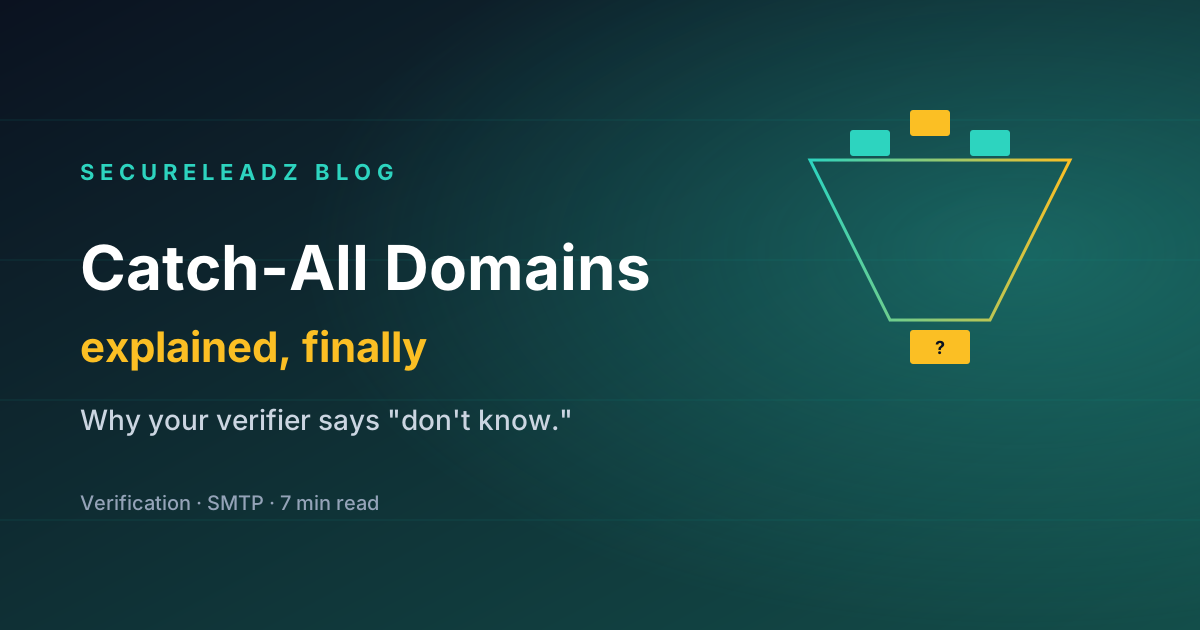
Some domains are configured to accept any address at their domain, even fake ones. These are "catch-all" domains. An SMTP check against them returns a positive response no matter what address you ask about — which means a clean SMTP response is meaningless. A good verifier detects catch-alls and flags those addresses separately, because they are higher risk than verified individual mailboxes.
The 5 result categories every verifier returns
Vendors use slightly different labels, but the underlying categories are universal.
| Category | What it means | What to do |
|---|---|---|
| Deliverable | All checks passed; address can receive mail. | Send. |
| Risky / catch-all | Domain accepts everything; we cannot confirm the specific address. | Send sparingly to high-value targets only. |
| Role-based | Generic mailbox (info@, sales@). Often deliverable but rarely read. | Skip for cold outreach; fine for transactional. |
| Unknown / temporary | Server returned a soft-fail or timeout. Try again later. | Re-verify in 24-48 hours. |
| Invalid | Syntax, domain, or SMTP confirmed it does not exist. | Remove from list. |
The most common mistake is treating "risky" as "invalid" and discarding it. A 50% deliverability rate on risky addresses is still profitable for a high-LTV campaign — just send carefully and monitor bounces.
Manual vs automated verification
Manual verification (running an SMTP check yourself, sending a non-binding test message) is fine for one address at a time. For anything past 20 addresses, it is a bad use of human time and risks getting your sending IP rate-limited or blacklisted by recipient mailservers that flag rapid SMTP probes.
A dedicated verification service rotates IPs, respects per-domain rate limits, and amortizes the cost of maintaining catch-all detection lists across thousands of customers. The economics make it a clear buy, not build, for any team verifying more than a few hundred addresses a month.
How to verify a list — step by step
The workflow that works for 95% of cases:
- Export your list as a CSV with email in one column. Strip all extra columns until validation works, then re-attach them.
- Deduplicate locally before uploading. You should never pay to verify the same address twice.
- Upload to your verifier. For SecureLeadz, drop the CSV onto the dashboard or send it to the bulk API endpoint.
- Wait for the run to finish. Modern verifiers process at 50-300 addresses per second; a 50,000-row list completes in 5-15 minutes.
- Filter the results. Keep "deliverable". For "risky / catch-all", decide based on campaign value. Discard the rest.
- Re-verify catch-alls separately if the campaign is high-value. A second-pass check using a different methodology can resolve 30-60% of catch-alls into either deliverable or invalid.
- Reload the cleaned list into your sending tool and run the campaign.
How to verify before a cold email campaign
The single most cost-effective moment to verify is right before a sequence is launched, not when the list is first built. Lists decay — even a list verified 90 days ago will have 5-15% new bounces today. Two practical patterns:
- Pre-flight verification. A scheduled job runs your campaign list through the verifier the morning of launch. Anything newly invalid or risky is paused.
- Continuous re-verification. A recurring monthly re-verification of every list in your CRM, with results pushed back as a "deliverability score" custom field. This is what SecureLeadz's recurring re-verification was built for.
How to integrate verification with your CRM or sequencer
The integrations that matter, in priority order:
- HubSpot / Pipedrive / Salesforce — verify contacts on creation, score on a custom field, and skip risky addresses at sequence-enrollment time.
- Mailchimp / Klaviyo / ActiveCampaign — clean lists before a broadcast. Many ESPs will throttle or suspend accounts that breach a 1-2% bounce threshold.
- Lemlist / Instantly / Smartlead / Outreach / Salesloft — pre-sequence verification stops a bad list from killing your secondary domains.
- Zapier / Make.com — for everything else; verify on form submit, on row added, on lead source webhook.
Common mistakes that tank deliverability anyway
Even a perfectly verified list will bounce or land in spam if the sending side is misconfigured. The four checks every cold sender should run on their own domain before launching:
- SPF — does your sending IP have permission to send from your domain?
- DKIM — is your mail being signed with a key the receiver can verify?
- DMARC — do you have a published policy telling receivers what to do when SPF/DKIM fail?
- Domain age and warm-up — are you sending from a brand-new domain with no warm-up history? Mailbox providers will throttle you regardless of list quality.
A common pattern we see: a clean, verified list sent from a misconfigured domain has 1.5% bounces but 30% spam-folder placement — invisible to the verifier, visible only to the bottom-line.
FAQ
What's the difference between email verification and email validation?
In practice, none. Some vendors use "validation" for syntax-only checks and "verification" for the full SMTP-level check. We use the terms interchangeably and assume verification means the full pipeline.
Can email verification be 100% accurate?
No. Catch-all domains, greylisting, and accept-then-bounce behavior mean a small percentage of addresses cannot be confirmed without sending an actual email. Industry-leading verifiers achieve 97-99% accuracy on the addresses they classify as deliverable; the rest fall into the risky/unknown buckets where uncertainty is honestly disclosed.
How long does verification take?
Single-address API verification typically completes in 200-500ms. Bulk verification of a 50,000-row list completes in 5-15 minutes on modern services.
Will verifying my list make the recipient mailservers angry?
A reputable verifier rotates IPs, throttles per-domain, and uses non-binding SMTP probes (RCPT TO without DATA). This is invisible to the recipient and well within accepted SMTP behavior. Avoid services that send actual test messages — those can damage your reputation.
Is email verification GDPR-compliant?
Yes, when implemented correctly. The verifier acts as a data processor under GDPR, processes only the email address (not personal content), and can purge the data immediately after the check. Look for vendors with a published DPA, EU data residency, and SOC 2 controls if your use case requires them.
How often should I re-verify my list?
Best practice is 30-90 days for active outbound lists, immediately before any large send, and continuously for any list larger than 10,000 contacts. Lists decay at roughly 2-5% per month from job changes, mailbox closures, and forwarding rules.
In summary
Email verification is the cheapest insurance you can buy on a cold-outbound program. The price is fractions of a cent per address; the cost of skipping it is weeks of damaged deliverability and a sender reputation you cannot easily rebuild.
Treat verification not as a one-time list-cleaning event but as a continuous discipline: pre-flight every campaign, re-verify lists monthly, monitor your domain's authentication signals, and respect the 2% bounce threshold that mailbox providers have set as the line between "trusted sender" and "everyone else."
Ready to try it? SecureLeadz gives you 100 verifications a month free, forever, with no credit card. Drop a CSV on the dashboard and you'll see your deliverability picture in under five minutes.
Stop guessing which emails will deliver.
SecureLeadz verifies, finds, and screens B2B emails — and tells you exactly why each one will land. 100 free verifications, no credit card.
Try SecureLeadz free